
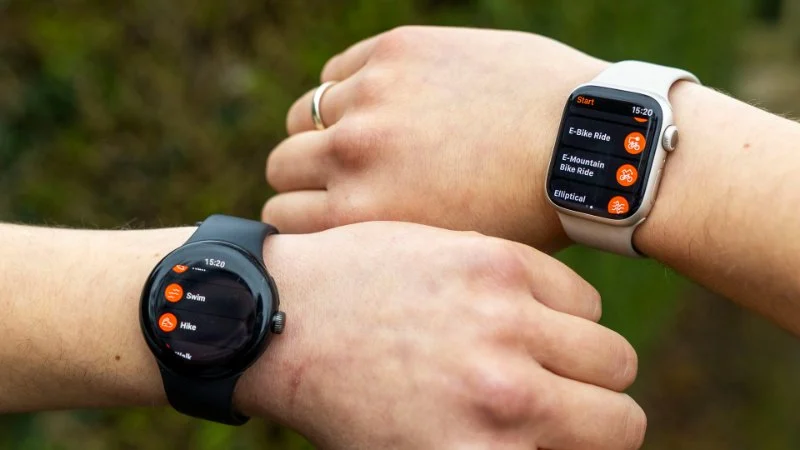
- 1. Introduction: Why Track Your Fitness Progress?
- 2. Understanding Strava: Key Features and Benefits
- 3. How to Track Your Progress with Strava and Similar Apps
- 4. Top Alternatives to Strava for Fitness Tracking
- 5. Maximizing the Use of Fitness Apps for Better Results
- 6. How to Choose the Best Fitness Tracking App for You
1. Introduction: Why Track Your Fitness Progress?
Keeping track of your fitness progress is essential if you want to see improvements over time. Whether you're cycling, running, or participating in other physical activities, tracking helps you stay motivated, adjust your routine, and achieve your fitness goals. Fitness apps like Strava provide a powerful tool to monitor your progress in real time and give you valuable insights into your performance. But how exactly can you track your fitness with these apps, and which app is right for you? This guide will help you explore Strava and similar apps to enhance your fitness journey.
2. Understanding Strava: Key Features and Benefits
Strava is one of the most popular fitness apps, particularly for cyclists and runners. It allows users to track their activities, set goals, and monitor their progress through detailed statistics. Here’s how Strava can help you track your fitness progress:
- Activity Tracking: Strava tracks your cycling, running, and other activities, giving you detailed data on your speed, distance, and elevation.
- Segment Tracking: One of Strava’s unique features is its ability to track segments – predefined stretches of road or trail where users can compare their times against others.
- Training Log: Strava’s training log allows you to keep a record of your workouts, helping you track trends over time.
- Social Features: Strava has a strong social component where you can connect with other athletes, share your progress, and engage in challenges.
Strava’s premium features offer even more advanced tools like personalized coaching and advanced performance analytics, allowing you to refine your training regimen.
3. How to Track Your Progress with Strava and Similar Apps
Tracking your fitness progress with Strava and similar apps is easy once you know what metrics to monitor. Here’s how to get started:
- Download the App: Start by downloading Strava or a similar fitness app on your smartphone or GPS device. Set up an account and customize your profile.
- Log Your Activities: Whether you're cycling, running, or swimming, log your workouts into the app. Strava will automatically detect and record your activity when you start your workout.
- Review Key Metrics: Pay attention to key metrics like speed, distance, heart rate (if available), and time spent on each activity. These metrics provide insights into your performance and areas for improvement.
- Set Goals: Use the app’s features to set goals, whether it’s a target distance or a time goal. Tracking your progress towards these goals is a great way to stay motivated.
- Analyze Your Data: After completing your activities, take the time to analyze your data. Look for trends in your performance, identify areas for improvement, and adjust your training plan as needed.
Regularly tracking your activities and reviewing your progress will help you stay on track and make adjustments to your fitness routine.
4. Top Alternatives to Strava for Fitness Tracking
While Strava is one of the most well-known fitness apps, there are several excellent alternatives that can provide similar or even unique features. Here are some top alternatives to consider:
- MapMyRun: This app is great for tracking running and cycling activities. It provides detailed maps, performance analytics, and route planning.
- Garmin Connect: If you use a Garmin device, Garmin Connect is the perfect companion app for tracking all your fitness activities, including running, cycling, and swimming.
- Runkeeper: A popular app for runners, Runkeeper offers personalized coaching, workout tracking, and progress reports to help you reach your fitness goals.
- Komoot: Ideal for cyclists and hikers, Komoot offers detailed route planning and offline maps for outdoor activities.
Explore these apps to find one that suits your specific fitness needs, whether you’re training for a marathon or just tracking your daily workouts.
5. Maximizing the Use of Fitness Apps for Better Results
To get the most out of your fitness tracking app, consider the following tips:
- Connect Devices: Pair your app with a fitness tracker or smartwatch to get more accurate data, such as heart rate, calories burned, and even sleep patterns.
- Join Challenges: Many apps, including Strava, offer challenges that motivate you to push harder and beat your personal bests. Participate in these challenges to stay engaged and motivated.
- Track Rest and Recovery: Proper rest is key to improving your fitness. Use your app to track rest days, recovery, and the impact of your workouts on your body.
- Review and Adjust Goals: Regularly review your goals and progress. Adjust them as necessary based on your performance and current fitness level.
6. How to Choose the Best Fitness Tracking App for You
With so many fitness apps available, choosing the right one can be overwhelming. Here’s how to choose the best fitness tracking app for your needs:
- Consider Your Fitness Goals: Whether you're focusing on cycling, running, or strength training, make sure the app you choose aligns with your fitness goals.
- Check for Device Compatibility: Ensure that the app is compatible with the fitness devices or trackers you already use, such as a smartwatch or heart rate monitor.
- Look for Advanced Features: If you’re looking for in-depth analysis, choose an app that offers features like personalized coaching or performance analytics.
The best app for you will depend on your specific needs, preferences, and the type of fitness activities you engage in. Take your time to explore and find an app that supports your fitness journey.



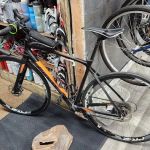 Jeff's Bicycle Repair & Sales4.0 (65 reviews)
 Wheel & Sprocket4.0 (67 reviews)
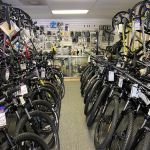 Brooksville Bicycle Center4.0 (86 reviews)
 Trek Bicycle Orlando College Park4.0 (485 reviews)
 Al's Bicycles4.0 (54 reviews)
 Big Peach Ride + Run - Midtown4.0 (286 reviews)
 How to Teach Kids to Ride a Bike: A Step-by-Step Guide for Parents
 Tips for Riding on Busy City Streets: Smart Strategies for Urban Cyclists
 Best US National Parks for Mountain Biking: Ride Epic Trails Across America
 Best Aero Helmets for Time Trials and Racing
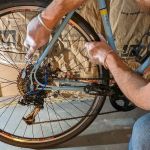 How to Clean and Lubricate Your Bike Chain Like a Pro
 10 Must-Have Items for Long-Distance Cycling Trips